 BULLSTAR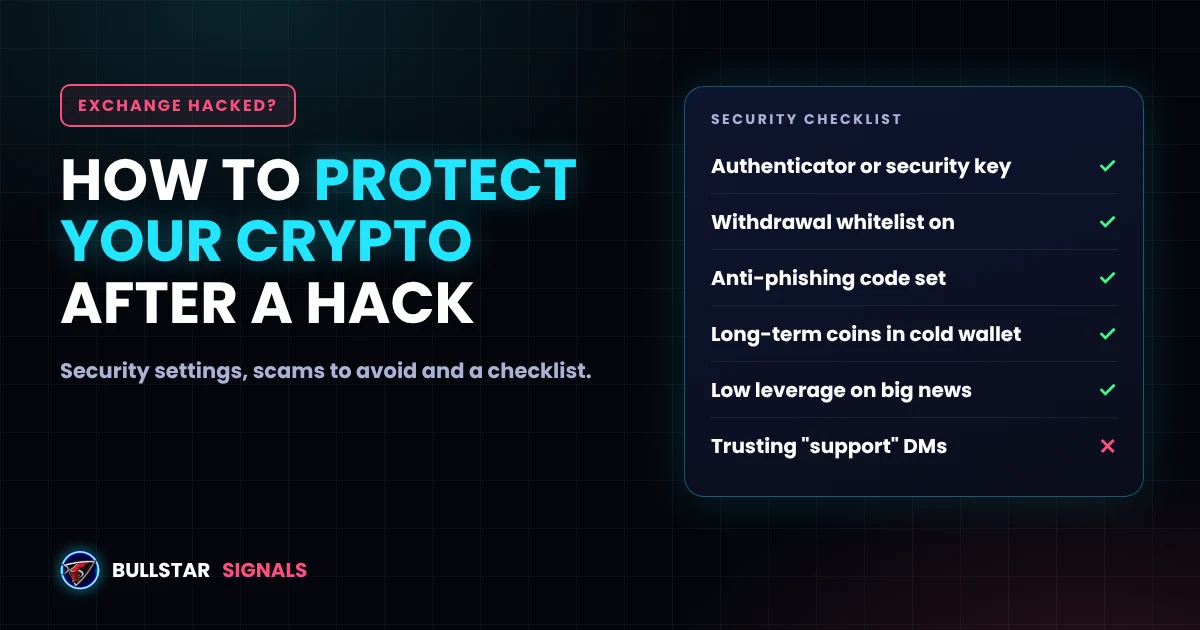
Last updated: November 1, 2026
On October 29, 2026, attackers drained about $6.3 billion from Binance hot wallets in roughly 20 minutes. Withdrawals were paused, crypto prices dropped and millions of users asked the same question: is my money safe, and what should I do now?
The good news is that most people who lose money during an exchange hack do not lose it in the hack itself. They lose it to fake support scams, panic moves, liquidations and mistakes made in a rush. This guide explains how to protect your crypto before, during and after an exchange hack, in plain words.
- Keep only the money you actively trade on an exchange. Move long-term holdings to a wallet you control.
- Turn on an authenticator app or security key, a withdrawal address whitelist and an anti-phishing code.
- During a hack, do not panic, do not click links and do not trust anyone who DMs you.
- Lower your leverage. Hack news moves prices fast.
- Never share your seed phrase. No real support team will ever ask for it.
What Happens to Your Funds When an Exchange Is Hacked?
When an exchange is hacked, the attackers almost always take money from the exchange's own hot wallets, the online wallets it uses to process withdrawals. Your account balance is a number in the exchange's database, so your balance does not change. What matters is whether the exchange can cover the hole.
History shows three outcomes:
- The exchange covers everything. Bybit replaced the $1.46 billion stolen in February 2025 within days. Binance covered a 7,000 BTC theft in 2019, and after the October 2026 hack it says it has already replaced about 90% of the stolen assets with its own funds. Read the latest in our Binance hack live report.
- Users get part of it back, slowly. WazirX users in 2024 faced a long restructuring and did not get full balances back quickly.
- Users wait for years. Mt. Gox users waited about ten years for partial repayment. FTX was not a hack but a collapse, and customers lost access to their money overnight.
So the risk is not only the hack. It is the exchange's ability to pay. You can see how often this has happened in our list of the biggest crypto hacks of all time.
Exchange or Wallet: Where Should You Keep Your Crypto?
You will hear "not your keys, not your coins" a lot after every hack. It is true, but it does not mean you should never use an exchange. You need one to trade. The smart move is to split your money by what it is for.
| Where | Good | Risk | Best for |
|---|---|---|---|
| Exchange spot balance | Easy to trade, exchange usually covers hacks | You do not hold the keys. Withdrawals can be paused | Money you trade this week |
| Exchange futures balance | Needed for leverage | Liquidation risk when prices swing on hack news | Only the margin for open trades |
| Software wallet (hot wallet) | You hold the keys, free, fast | Phone or PC malware, fake apps, phishing | Small amounts, DeFi |
| Hardware wallet (cold wallet) | Keys stay offline, strongest protection | You must protect the seed phrase. Lose it and the coins are gone | Long-term holdings |
A simple rule many traders use: keep on the exchange only what you would trade in the next week or two, and keep everything else in a wallet you control. If you hold large amounts, a hardware wallet is worth the price. Just check that you buy it from the official maker, not from a reseller, and read about the Ledger implant scandal to understand what can go wrong.
Lock Down Your Exchange Account Before Anything Happens
These settings take about 15 minutes and protect you from the scams that follow every hack. Most big exchanges, including Binance, Bybit and OKX, offer all of them.
- Use an authenticator app or a security key, not SMS. SIM-swap attacks can steal SMS codes. Google Authenticator, a passkey or a hardware key like YubiKey is much safer.
- Turn on the withdrawal address whitelist. Withdrawals can then only go to addresses you saved earlier. Even if someone gets into your account, they cannot send your coins to their own wallet.
- Set an anti-phishing code. Real emails from the exchange will show your code. If an email does not have it, it is fake.
- Use a unique password and a separate email. An email you use only for crypto is much harder to target.
- Check your API keys. If you use a trading bot or Cornix, keep withdrawals disabled on the API key and restrict it to trusted IP addresses. Delete keys you no longer use.
- Review logged-in devices. Remove any phone or browser you do not recognize.
What to Do on the Day an Exchange Gets Hacked
The first hours after a hack are chaotic. Prices move, rumors spread and scammers move fast. Here is a calm order of steps.
- Get news only from official channels. Use the exchange's official X account, its app announcements and well-known news sites. Ignore screenshots in Telegram groups.
- Do not click anything you were sent. Fake "compensation", "refund" and "verify your account" links appear within minutes of every big hack.
- Check your open trades. Hack news can move BTC and ETH by 5% to 10% in hours. If you trade futures, lower your leverage or close risky positions. Our guide on how liquidation works explains why high leverage gets hit first.
- Do not try to withdraw everything at once. Withdrawals are usually paused anyway, and when they reopen there are long queues and high network fees. Rushing is when people paste the wrong address.
- Write down your balances. Take a screenshot of your account and open orders, with the date and time. It helps if you ever need to contact support.
- Wait for the exchange's statement on losses. Once it says whether it will cover the loss, plan your next move calmly.
If withdrawals on your exchange are paused right now, our guide on what to do while Binance withdrawals are paused walks through it step by step.
The Scams That Follow Every Exchange Hack
After the Bybit and Binance hacks, the biggest wave of losses for normal users came from scams, not from the hack itself. Watch for these:
- Fake support DMs. Someone writes to you on Telegram or X as "Binance Support" and says your account is at risk. Real support never DMs you first.
- "Move your funds to a safe wallet". The safe wallet belongs to the scammer. No exchange ever asks you to do this.
- Fake compensation or airdrop sites. They ask you to connect your wallet or enter your seed phrase to claim a refund. Connecting can drain your wallet.
- Recovery services. People who promise to get stolen crypto back for a fee. Nobody can do that.
- Fake apps and search ads. Download exchange and wallet apps only from the official site or official app store page.
Your seed phrase is the key to your wallet. Anyone who asks for it, for any reason, is trying to steal from you. Binance offers an official Binance Verify tool where you can check if an account, link or email really belongs to Binance.
The same tricks are used by fake signal channels, so it is worth reading how to spot a fake crypto channel on Telegram.
Spread Your Risk Across Exchanges
Many active traders keep accounts on two exchanges. If one pauses withdrawals, they can still trade and move money on the other. Keep each account verified and secured, but do not leave large balances on either.
Before choosing an exchange, check a few things: does it publish regular proof of reserves, does it have an insurance fund like Binance's SAFU, how did it handle past incidents, and is it licensed where you live? Our guide on choosing an exchange for signal trading covers what to look for.
Protect Your Self-Custody Wallet Too
Moving coins off an exchange only helps if your own wallet is safe. A few rules:
- Write your seed phrase on paper or metal. Never store it in photos, cloud notes or email.
- Never type your seed phrase into a website, a form or a chat.
- Send a small test amount first when you withdraw to a new address, then the rest.
- Check the first and last characters of every address. Clipboard malware can swap the address you paste.
- Remove old token approvals you no longer need, using a trusted tool like Revoke.cash.
Your Exchange Security Checklist
- Authenticator app or security key on, SMS 2FA off
- Withdrawal address whitelist on
- Anti-phishing code set
- Unique password and a crypto-only email
- API keys with withdrawals disabled and IP restricted
- Only trading money left on the exchange
- Long-term coins in a wallet you control
- Seed phrase written down offline, never shared
- Leverage kept low when big news hits
Frequently Asked Questions
Is my crypto safe on an exchange after a hack?
Usually your balance is safe if the exchange covers the loss, as Bybit did in 2025 and Binance says it is doing after its $6.3 billion hack in 2026. The real risk is an exchange that cannot cover it. FTX in 2022 was not a hack, but users still lost access to their money for years. Keep only what you trade on an exchange.
Should I withdraw my crypto from Binance after the hack?
Not in a panic. When withdrawals reopen, queues and fees are high and scammers are busy. A calmer plan is to keep only your trading balance on the exchange and move long-term holdings to a wallet you control over the next days, after checking the address twice. This is not financial advice.
What is the safest place to keep crypto?
For long-term holdings, a hardware wallet with the seed phrase written on paper or metal and stored offline. Exchanges are fine for the money you actively trade, as long as you use strong 2FA and a withdrawal address whitelist.
Can hackers take crypto from my wallet if the exchange is hacked?
No. An exchange hack hits the exchange's own wallets, not a self-custody wallet you control. Your wallet is only at risk if someone gets your seed phrase, usually through a fake support message, a fake site or malware.
Will the exchange pay me back after a hack?
Big exchanges with enough reserves usually do. Binance covered a 7,000 BTC theft in 2019 and Bybit replaced its $1.46 billion loss in 2025. Smaller platforms sometimes pay only part of it, or nothing. That is why spreading funds and limiting exchange balances matters.
How do I spot a fake Binance support message?
Binance support will never DM you first on Telegram, ask for your password, 2FA codes or seed phrase, or ask you to move funds to a safe wallet. Check any link or account with the official Binance Verify tool and set an anti-phishing code so real emails show it.
This guide is for education only and is not financial advice. Exchange features and security settings change, so always check your exchange's official help center.